Swift Concurrency
Swift concurrency bugs that pass code review
Four Swift concurrency bugs that survive code review at good companies: actor reentrancy, leaked tasks, ignored cancellation, and the onAppear trap. With fixes.
7 min read
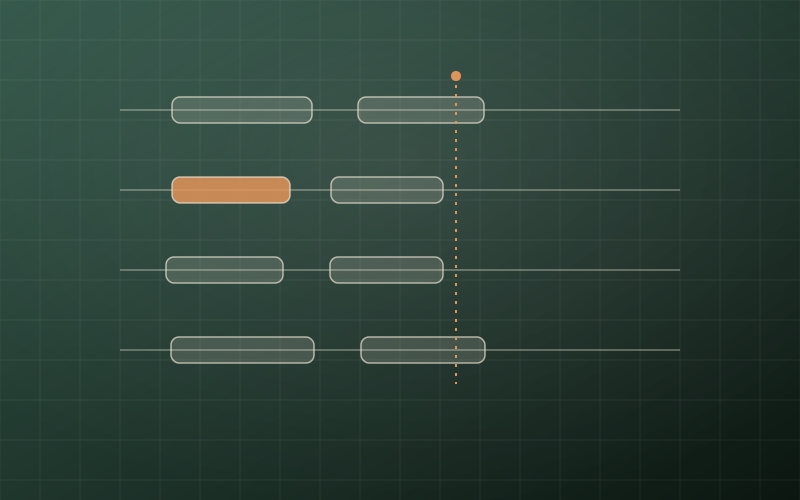
Time is invisible in a diff
Code review catches what code looks like. Concurrency bugs live in what code does over time, and time is invisible in a diff.
That is why the four bugs below survive review at good companies, written by good engineers, approved by good reviewers. Each one compiles cleanly, reads naturally, and does exactly what it looks like it does, right up until two things happen at once. I have watched every one of them ship. I have shipped at least one of them myself.
For each bug I will show you the innocent version, explain why the reviewer approved it, and then fix it. The pattern to watch for is the same every time, and I will name it now so you can start seeing it: every await is a door. While your function stands in that doorway, the rest of the program keeps moving, and the world on the other side of the door may not be the world you left.
Bug 1: the actor that checks, waits, and trusts
Actors are sold as the fix for data races, and they are. What they are not is a fix for logic races, and the difference ships bugs like this one:
actor ImageLoader {
    private var cache: [URL: UIImage] = [:]

    func image(for url: URL) async throws -> UIImage {
        if let cached = cache[url] {
            return cached
        }
        let (data, _) = try await URLSession.shared.data(from: url)
        guard let image = UIImage(data: data) else {
            throw URLError(.cannotDecodeContentData)
        }
        cache[url] = image
        return image
    }
}
The reviewer sees an actor, sees the cache check, sees the cache write, and approves. The code is completely data-race free. It is also wrong.
Swift actors are reentrant. When image(for:) suspends at the await, the actor does not lock up and wait. It starts serving the next caller. So when a screen with six thumbnails asks for the same URL six times in one frame, all six callers find an empty cache, all six walk through the door, and all six start their own network request. Your cache did not prevent duplicate work. It scheduled it.
Nothing crashes. No sanitizer fires. You just quietly make six requests where one would do, and on a screen that retries on failure, this pattern has a talent for turning one flaky endpoint into a small self-inflicted denial of service.
The fix is to cache the work, not the result:
actor ImageLoader {
    private var tasks: [URL: Task<UIImage, Error>] = [:]

    func image(for url: URL) async throws -> UIImage {
        if let existing = tasks[url] {
            return try await existing.value
        }
        let task = Task {
            let (data, _) = try await URLSession.shared.data(from: url)
            guard let image = UIImage(data: data) else {
                throw URLError(.cannotDecodeContentData)
            }
            return image
        }
        tasks[url] = task
        do {
            return try await task.value
        } catch {
            tasks[url] = nil
            throw error
        }
    }
}
Now the first caller creates the task synchronously, before any suspension, and every later caller awaits the same task. One URL, one request, six satisfied callers. The failure path clears the entry so a bad response does not poison the cache forever.
The general rule: inside an actor, any state you checked before an await is a rumor after it. Re-check it, or structure the code so the check and the commitment happen with no door between them.
That rule sounds easy to follow until the door is hidden inside someone else's code, which brings us to the next bug.
Bug 2: the fire-and-forget task that outlives its owner
This one is in almost every codebase that adopted async/await by wrapping old completion-handler code:
final class UploadManager {
    private let queue: UploadQueue

    init(queue: UploadQueue) {
        self.queue = queue
    }

    func start() {
        Task {
            await processQueue()
        }
    }

    private func processQueue() async {
        for item in await queue.pending() {
            await upload(item)
        }
    }
}
The reviewer sees a tidy async pipeline and approves. What the diff does not show is a lifetime problem: that Task holds self strongly, nobody kept a handle to it, and nothing will ever cancel it. When the screen that owns this manager is dismissed, the manager does not deallocate, the loop does not stop, and the uploads march on for an object whose user interface no longer exists. If start() can be called twice, you now have two loops racing through the same queue.
Unstructured tasks are goto for concurrency. Sometimes you need one. But a Task { } with no stored handle is a promise that this work is genuinely global, ownerless, and immortal, and almost no work in an app is actually that.
The fix is to give the work the same lifetime as its owner:
final class UploadManager {
    private let queue: UploadQueue
    private var processing: Task<Void, Never>?

    init(queue: UploadQueue) {
        self.queue = queue
    }

    func start() {
        guard processing == nil else { return }
        processing = Task { [weak self] in
            await self?.processQueue()
        }
    }

    func stop() {
        processing?.cancel()
        processing = nil
    }

    deinit {
        processing?.cancel()
    }
}
Store the handle, guard against double starts, cancel on teardown. Three lines of ceremony, and the work now dies with its owner instead of haunting the process.
There is a catch, though. Calling cancel() on that task does nothing by itself. Cancellation in Swift is a request, not a command, and code that never checks for the request never honors it. Which is bug three.
Bug 3: the loop that cannot hear you
Swift's cancellation model is cooperative, and the word doing the heavy lifting is cooperative. URLSession cooperates: an in-flight request throws CancellationError when its task is cancelled. Your own code cooperates only if you wrote the check. This code did not:
func generateThumbnails(for assets: [PHAsset]) async -> [UIImage] {
    var thumbnails: [UIImage] = []
    for asset in assets {
        let image = await renderThumbnail(asset)
        thumbnails.append(image)
    }
    return thumbnails
}
The reviewer sees an async function inside a nicely structured task tree and assumes cancellation is handled, because everything around it is modern concurrency. But if renderThumbnail is CPU work rather than a suspending network call, this loop will grind through all four thousand assets of a photo library after the user has already left the screen, cancelled task or not. The task is marked cancelled. The loop never asks.
I think of cancellation as a fire alarm in the building. The alarm going off does not carry anyone outside. People leave because they periodically listen. A loop that never listens will keep working through the fire, and your users will feel it as a phone that gets warm and a scroll that stutters for no visible reason.
The fix costs one line per unit of work:
func generateThumbnails(for assets: [PHAsset]) async throws -> [UIImage] {
    var thumbnails: [UIImage] = []
    for asset in assets {
        try Task.checkCancellation()
        let image = await renderThumbnail(asset)
        thumbnails.append(image)
    }
    return thumbnails
}
The habit to build: any loop, any expensive stretch of synchronous work inside an async function, gets a Task.checkCancellation() at the top of each iteration. If the function cannot throw, Task.isCancelled gives you the polite version. Either way, the alarm only works for code that listens.
Of course, all of this assumes something upstream actually cancels the task at the right moment. In SwiftUI, whether that happens is decided by one easy-to-miss choice.
Bug 4: the view that loads twice and cancels never
Here is the most common concurrency bug in SwiftUI codebases, and it looks like idiomatic code:
struct ProfileView: View {
    @State private var viewModel = ProfileViewModel()

    var body: some View {
        content
            .onAppear {
                Task {
                    await viewModel.load()
                }
            }
    }
}
The reviewer sees the standard load-on-appear pattern and approves. Two problems are hiding in it. The task created in onAppear is unstructured, so when the user navigates away mid-load, nothing cancels it; the view is gone but the request completes anyway, and whatever the view model publishes goes nowhere useful. And because onAppear fires again when the user navigates back, you get a second task racing the first, with last-writer-wins semantics deciding what the user actually sees. On a slow connection, the stale response can land after the fresh one. Users report it as "sometimes the profile shows old data," and it reproduces exactly never in a debug build on office wifi.
SwiftUI ships the fix as a modifier:
struct ProfileView: View {
    @State private var viewModel = ProfileViewModel()

    var body: some View {
        content
            .task {
                await viewModel.load()
            }
    }
}
.task ties the work to the view's lifetime. Appear starts it, disappear cancels it, and the cancellation actually propagates because the task is structured. Pair it with .task(id:) when the load depends on a changing value, and the old request is cancelled the moment the input changes.
The two versions sit one line apart in a diff and behave like different programs. That is the whole story of this article in miniature: the difference between correct and broken concurrency is rarely visible in the lines that changed.
What this means for how you review
Four bugs, one lesson. Every await is a door, and reviewing concurrent code means asking, at every door, three questions the diff will not answer for you: what changed while we were standing here, who is holding this work's lifetime, and who tells it to stop.
Concretely, the checklist I use when reviewing async Swift:
Actor code: any state read before an await and used after it is a red flag. Ask what happens when two callers interleave at that suspension point.
Any bare Task { }: ask where the handle went. If the answer is nowhere, ask why this work deserves to be immortal.
Any loop or heavy computation in an async function: ask where cancellation is checked. "The network call throws" only covers the network call.
Any onAppear plus Task: ask why it is not .task, and make the author say the answer out loud.
None of these show up in what the code looks like. All of them show up in what the code does over time. Review for time, and this class of bug stops passing.
These four patterns are also, not coincidentally, exactly the kind of thing that separates candidates in senior iOS interviews. Knowing async/await syntax gets you into the room. Explaining actor reentrancy, task lifetimes, and cooperative cancellation, and the judgment calls behind each, is what gets written into the hiring packet.
Where this fits
This essay belongs to the Pass Interviews path: Swift, SwiftUI, concurrency, architecture, mobile system design, live coding and behavioral answer systems.

