Interviews
React Native interviews happen at the boundary
The framework answer is only the surface. Senior judgement appears where JavaScript, native work and product constraints meet.
By Mike Salari. Staff mobile engineer · 500+ technical interviews from the hiring side.
7 min read
A React Native interview rarely ends with the JavaScript answer. The first answer only gives the interviewer somewhere to push.
They ask what crosses the native boundary, which thread is blocked, what survives a process restart, what happens during an over-the-air update and how you would know whether the problem belongs to React, the native module, the renderer or the product design.
That is where a question bank becomes useful. Read it as a map of boundaries you must be able to defend, and skip memorising it as a list. This page gives you the boundaries, ten questions senior loops ask, and the follow-up each one leads to.
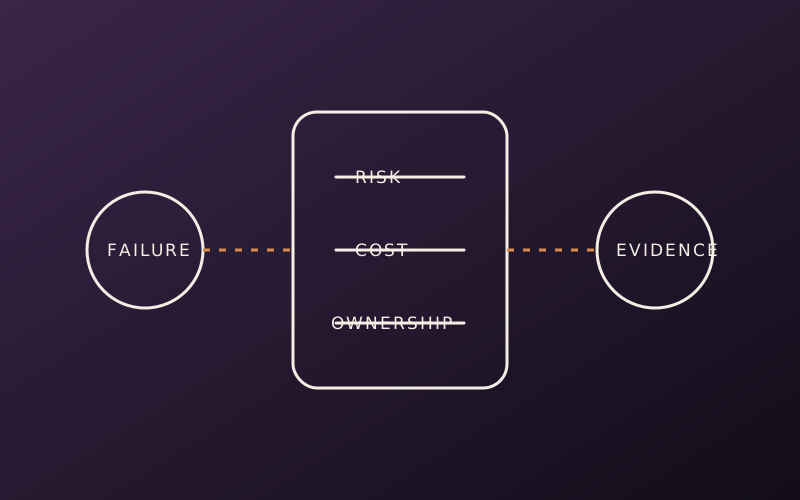
Name which system owns the failure
A weak answer says React Native is slow. A useful answer identifies the work, the thread, the data crossing the boundary and the measurement that would separate JavaScript cost from native rendering cost.
Separate three layers out loud. The JavaScript engine, Hermes by default, executes your code. React's reconciler decides what changed. The native layer turns that into real platform views and platform calls. A slow screen lives in one of them first.
The same rule applies to navigation, storage, networking and background work. Start by naming the owner of the state and the lifecycle that may invalidate it. Then explain what evidence would move the investigation somewhere else.
Know what the New Architecture changed and what it did not
Current React Native runs on the New Architecture. Since 0.82 it is the only runtime you can select, and the old asynchronous bridge is gone. Interviewers expect you to name the parts, not say "it is faster".
- JSI is a C++ interface that lets JavaScript hold references to native objects and call them directly, including synchronously, without serialising every message into a queue.
- Fabric is the renderer. Its core is shared C++ across platforms, and it can measure layout synchronously when a screen needs it.
- TurboModules are native modules defined by a typed spec. Codegen produces the glue, and modules load lazily instead of all at startup.
- Hermes ships precompiled bytecode, which removes parse and compile work from startup. It does not fix a slow network call or a heavy first render.
The senior part is the cost model that remains. JSI changes the transport. It does not remove CPU, memory or thread limits. Large buffers can still be copied, a synchronous native call can still block JavaScript, and a chatty interface ported to a TurboModule keeps its original performance problem.
Do not hide platform knowledge behind the framework
Cross-platform engineering does not remove iOS and Android behaviour. It concentrates the risk at the places where the abstraction stops matching them.
A senior answer can descend one layer when the constraint requires it. That does not mean implementing every module in Swift or Kotlin. It means recognising when permissions, background execution, memory pressure, accessibility or release behaviour cannot be reasoned about from JavaScript alone.
Deciding which parts of a product benefit from one implementation, and where the escape hatches go, is a chapter in Controlled Change. Its casebook ends with a React Native decision the architect did not get to make.
Design the native boundary as a contract
When a question turns to native modules, the interviewer wants a designed interface, not a pass-through of a vendor SDK. Keep the contract small and typed. Use a promise for a one-shot result, events for a stream with explicit cleanup, and one coarse call for what is logically one operation.
// NativeImageTools.ts: a TurboModule spec. Codegen reads this file.
import type { TurboModule } from 'react-native';
import { TurboModuleRegistry } from 'react-native';

export interface Spec extends TurboModule {
  // One coarse, async call: disk and decode work never block JS.
  resizeBatch(uris: string[], maxEdge: number): Promise<string[]>;
}

export default TurboModuleRegistry.getEnforcing<Spec>('NativeImageTools');
Say why it looks like this. The work touches disk, so it is asynchronous. The batch crosses the boundary once instead of once per image. The spec is the contract that catches a mismatch at build time instead of in production.
Release strategy is part of the architecture
A JavaScript update can change application behaviour faster than a store release. That power creates compatibility questions. Which native versions can run the bundle? What happens to persisted state? How is a bad update stopped? Which change still requires the stores?
An answer that names only delivery speed misses the operating cost. The Senior Signal is the rollback and compatibility model: a bundle targets a specific native runtime version, persisted data carries a schema version, and a bad update has a kill path that does not depend on the broken code.
React Native interview questions senior loops ask
These are the questions that separate a mid-level answer from a senior one. For each, the point is what the interviewer is testing and where they push next.
- What does the React Native runtime do? Testing: whether you separate the JS engine, the reconciler and the native integration. Follow-up: which of the three you would profile first for a slow screen, and why.
- What is JSI, and what did the New Architecture replace? Testing: whether you can name JSI, Fabric and TurboModules and what each owns. Follow-up: what costs remain now that the bridge is gone.
- When would you make a native method synchronous? Testing: thread judgement. Synchronous is only for trivial, predictable work. Follow-up: what happens to the JS thread if that call touches disk.
- How do you optimise a FlatList that drops frames? Testing: whether you treat row cost as the cause and props as tuning. Follow-up: when
getItemLayoutis correct, and what it breaks on variable-height rows. - Your screen is janky. How do you find which thread is responsible? Testing: measurement before fixes. Follow-up: why memoisation will not fix UI-thread jank from native layout or a JS-driven animation.
- Where should a gesture-driven animation run? Testing: whether you keep it on the UI thread, typically with Reanimated and Gesture Handler, so it stays smooth while JS is busy. Follow-up: what still has to come back to JS, and how often.
- How would you wrap a third-party native SDK? Testing: contract design. Follow-up: how you keep an SDK upgrade from leaking into every screen.
- How do you decide whether a library is ready for the current architecture? Testing: dependency risk. A successful compile is the start. Follow-up: what you exercise on real devices before you trust it.
- What can an over-the-air update change, and what can it not? Testing: the native compatibility boundary. Follow-up: how a user on an old binary with new persisted state is protected.
- Why does Hermes improve startup, and what does it not fix? Testing: whether you know it removes parse and compile cost only. Follow-up: how you would measure where the rest of cold start goes.
A list re-render bug interviewers like to show
A common live exercise is a list that re-renders every row on each keystroke. The row is wrapped in React.memo, and it still re-renders.
// Before: a new function and a new style object every render.
// React.memo sees changed props, so every row renders again.
<FlatList
  data={items}
  keyExtractor={(item, index) => String(index)}
  renderItem={({ item }) => (
    <Row item={item} style={{ padding: 12 }} onPress={() => open(item.id)} />
  )}
/>

// After: stable identities and a real key.
// Module scope, created once:
const styles = StyleSheet.create({ row: { padding: 12 } });

// In the component. Row calls onPress(item.id) itself.
const onPressRow = useCallback((id: string) => open(id), [open]);
const renderItem = useCallback(
  ({ item }: { item: Item }) => (
    <Row item={item} style={styles.row} onPress={onPressRow} />
  ),
  [onPressRow],
);

<FlatList data={items} keyExtractor={(item) => item.id} renderItem={renderItem} />
The index key is the second bug. When items are inserted or removed, rows keep the wrong identity. Name both, then say what you would measure to confirm the fix. If each row is still expensive to render, stable props only hide the real cost.
Recovery lines when you are unsure
Every senior loop reaches a question you cannot fully answer. The recovery is to state the boundary you do know and the evidence you would gather.
- "I have not measured that on this version. I would check which thread is busy before choosing a fix."
- "I would expect that call to cross into native once. If it crosses per item, that is the first thing I would change."
- "I am not sure the update system allows that without a store release. I would check the runtime version rule before promising it."
A clear boundary with a named next step scores better than a confident guess. Interviewers remember the guess when the follow-up exposes it.
Prepare answers as decisions
For each topic, rehearse four sentences: the boundary, the default choice, the condition that changes it and the evidence you would measure.
That structure turns a list of framework facts into a production answer. It also makes the follow-up easier, because you already stated where your first choice stops being safe.
Top 300 React Native Interview Questions drills the answers, with the production-depth note and the common pitfall for each question.