SwiftUI
Your SwiftUI App Works. Production Is Where It Starts Lying to You.
Three failures that appear after the happy path: stale results, slow "lazy" lists, and state ownership that no longer scales.
9 min read
Audio edition is being recorded
A SwiftUI screen can be completely correct in development and still have the wrong production model.
The request returned. The list rendered. The state changed when it was supposed to change. Everything worked, on the simulator, with fixture data, with one person tapping in a predictable order. Then real timing arrived, then real data, then real users, and the screen began reporting things that were no longer true.
None of the failures below start with a missing SwiftUI modifier. They are not the kind of bug a component reference can catch, because the UI already works when they appear. They show up when the system underneath the view has to answer questions the happy path never asked: which result still owns the screen, where the expensive work actually happens, and who owns this state and for how long.
Three cases. Each is small enough to reproduce in an afternoon and common enough that you have probably shipped at least one of them.
1. The latest request is not necessarily the latest result
Take a search field backed by an async API. Every keystroke calls search, every call starts a task, and every task writes its results when it finishes.
@MainActor
@Observable
final class SearchModel {
    var results: [SearchResult] = []

    private let api: SearchAPI

    init(api: SearchAPI) {
        self.api = api
    }

    func search(_ query: String) {
        Task {
            do {
                self.results = try await api.search(query)
            } catch {
                // Real failure policy goes here.
            }
        }
    }
}
The user types swift, then a moment later swiftui. Two requests are in flight. The second one hits a warm cache, or gets a faster connection, or simply has less to return, and it completes first. The screen shows results for swiftui. Then the older request for swift completes and overwrites them. The user is now looking at results for a query they are no longer asking.
Nothing in this sequence failed. Both requests succeeded. Both writes to results happened on the main actor, one at a time, so there is no data race for the compiler or the sanitizer to catch. Every mutation was legal. The UI is still wrong.
It is tempting to file this under concurrency and reach for cancellation. Cancellation helps, but it is cooperative: a request that has already returned cannot be un-returned, and a task that checks for cancellation late will still publish. async/await orders the steps inside one task. It says nothing about which of several completed tasks still has the right to publish state. That is a question about intent, and only the model can answer it, because only the model knows what the user asked for most recently.
The smallest correction that proves this diagnosis is to give each request an identity and let only the newest one write.
@MainActor
@Observable
final class SearchModel {
    var results: [SearchResult] = []

    private let api: SearchAPI
    private var generation = 0

    init(api: SearchAPI) {
        self.api = api
    }

    func search(_ query: String) {
        generation += 1
        let requestGeneration = generation

        Task {
            do {
                let results = try await api.search(query)

                guard requestGeneration == generation else {
                    return
                }

                self.results = results
            } catch {
                // Real failure policy goes here.
            }
        }
    }
}
generation is incremented synchronously, on the main actor, before the task starts, so the comparison after the await is against whatever value the newest call left behind. A stale result is not an error. It is a result that has lost the right to be shown, and it is dropped. If the API supports it, cancelling the previous task on top of this saves work, but the guard is what makes the screen correct. Cancellation is an optimisation of it, not a substitute for it.
Request lifetime and user intent are not the same thing. A request lives until it returns. The user's intent lives until the next keystroke. The state has to follow the intent.
2. "It is lazy" is not "it is fast"
The second failure arrives with scale, and it usually arrives with a sentence: it is fine, the list is lazy.
ScrollView {
    LazyVStack {
        ForEach(items) { item in
            ItemRow(item: item)
        }
    }
}
This is correct, and for a few hundred items it is the whole story. LazyVStack constructs its children on demand, so rows far below the fold cost nothing until they scroll in. Then the feature grows. items becomes a feed of 10,000 rows with a search field above it, and every keystroke freezes the screen for long enough that the keyboard visibly stalls. The instinct is to blame SwiftUI, or to blame the list, and to start swapping containers.
The container is not where the time goes. The lazy container answers exactly one question: which rows need to exist right now. It has no opinion about what items is or how it was produced. In the typical version of this screen, a keystroke normalises the query, filters all 10,000 items against it, sorts the survivors, groups them into sections and builds a fresh array. Because the array is new, SwiftUI then has to work out which rows changed, and if the ids are unstable the answer is all of them. Rows that survived are reconstructed, each row looks up an image, some of those images are decoded and resized on demand, and layout runs for whatever is visible. All of that happens before laziness is even consulted, and most of it happens on the main actor.
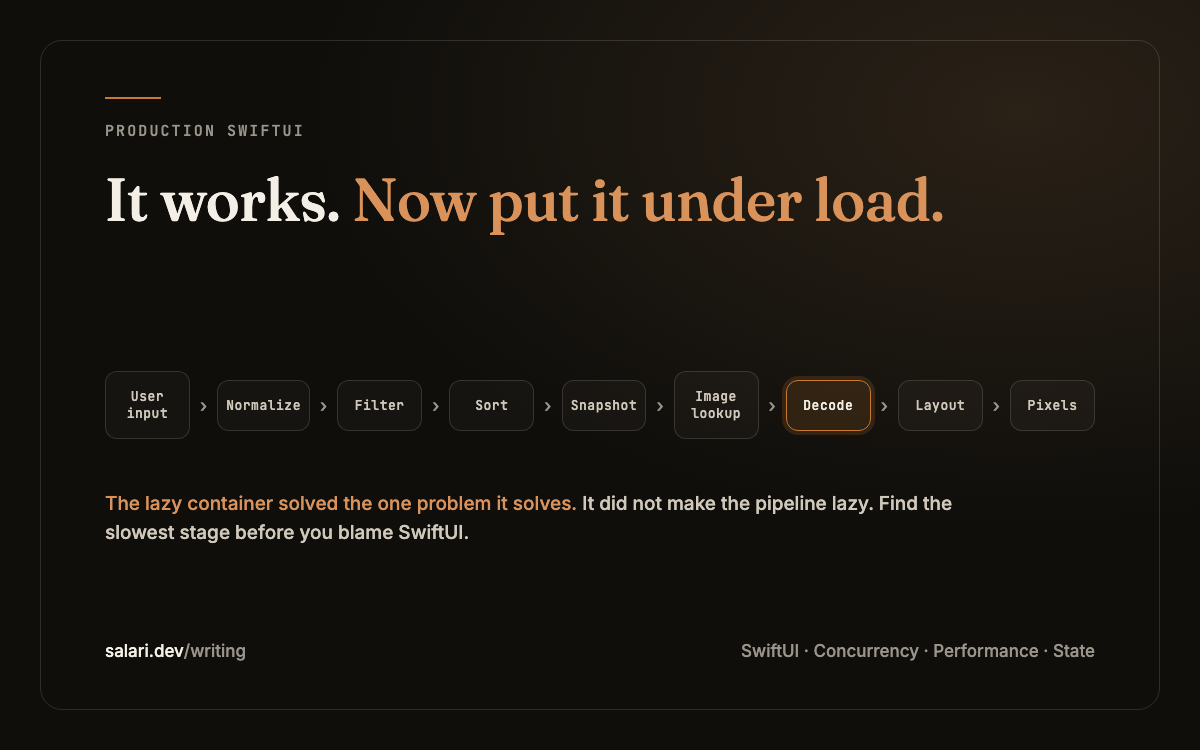
The lazy container solved the one problem it solves. It did not make the pipeline lazy.
It helps to see the whole route, because the freeze can live in any stage of it.
Data to pixels
User input
keystroke, scroll, refresh
Normalization
trim, lowercase, diacritics
Filtering
every row, every keystroke
Sorting / grouping
Snapshot
the array the view sees
Image lookup
cache hit or miss
Decode / resize
full-size image on the main thread
Row construction
Layout
Pixels
LazyVStack skips rows it cannot see, but it still decodes the images of the rows it can.A large SwiftUI list is not merely a view hierarchy. It is a data-to-pixels pipeline.
Once it is drawn this way, the question changes. Not "is SwiftUI slow", but "which stage is slow, and why is it running on this keystroke at all". Every stage has its own fix and its own evidence. Filtering and sorting can move off the main actor and sit behind a request generation, the same mechanism as the first case, so that a keystroke never publishes a snapshot the user has already typed past. Snapshots can keep stable identity, so a new array does not read as 10,000 replacements. Image decoding can leave the row and be cached at display size. Invalidation can be narrowed, so a change in one row does not rebuild the section around it. None of these is the answer until measurement says which stage is the bottleneck.
That evidence comes from tools, not from intuition. A Time Profiler trace recorded while typing shows where the main actor spends each keystroke. Instruments' SwiftUI template shows whether view bodies are being evaluated broadly or narrowly, and a counter in a body will tell you the same thing more crudely. Allocation and memory traces show whether images are being decoded at scroll time and at what size. Row identity is worth checking by hand: if the model's id changes when the content does not, every diff is a replacement. There are deliberately no timings in this article. They depend on the device, the dataset and the row, and the point of the exercise is to produce your own.
The lesson is a discipline rather than a technique: do not diagnose "SwiftUI is slow" before you have found the slowest stage. The framework is rarely that stage. The pipeline built in front of it usually is.
3. Your state model worked until everybody needed it
The third failure is the slowest to appear and the hardest to name, because nothing crashes and nothing measurably stalls. It is what happens to a state model that was designed for one screen and then adopted by the whole app.
@Observable
final class AppModel {
    var user: User?
    var feed: [Post] = []
    var notifications: [Notification] = []
    var searchResults: [SearchResult] = []
    var settings = Settings()
}
This is a reasonable starting point, and it is worth being precise about what is and is not wrong with it. It is not a rendering problem. Observation tracks property access, so a view that reads feed is not re-evaluated when notifications changes. The claim that one large @Observable model redraws every view on every change is not true, and if you split this model for that reason you will spend the effort and keep the real problem.
The real problem is ownership. Ask the questions the type does not answer. Who owns user, and what happens to feed and searchResults when the user signs out? How long does searchResults live: as long as the search screen, or as long as the app? Which async work belongs to this object, and who cancels it? If notifications are removed as a feature next quarter, what else in this class disappears with them? Can the feed logic be tested without constructing a user, a settings object and a search? Every property here has a different answer, and the type has flattened them into one.
Different answers are the reason to draw boundaries. A SessionState that owns the user and the sign-out sequence. A FeedState that lives while the feed is on screen and owns its own pagination and refresh tasks. A SearchState that owns the request generation from the first case and nothing else. A SettingsState that persists across sessions. These are not four models because four is a better number than one. They are four because they have four different lifetimes, four different mutation policies and four different sets of async work to cancel.
Splitting is not automatically better. A model with three properties that always change together, live for the same time and are mutated from the same place should stay one model; splitting it adds plumbing and nothing else. The test is not size. It is whether the parts give different answers to the ownership questions. When they do, the single model is hiding a design decision that will be made anyway, later, by whoever has to add the next feature under a deadline.
SwiftUI architecture is often state ownership disguised as view architecture.
These are not SwiftUI syntax problems
Put the three cases next to each other and the pattern is the same. The happy path worked. The failure appeared when the system had to answer a question the happy path never asked: which result still owns the UI, where the expensive work actually happens, and who owns this state and for how long. In each case the correction was not a modifier. It was a decision about ownership, made explicit in code.
The way through them is the same as well. Reproduce the failure first, in the smallest project that still shows it, because a failure you cannot trigger on demand is one you cannot prove fixed. Then find the mechanism, which means naming the exact step that produces the wrong state rather than the general area: a stale write after an await, a full sort on the main actor per keystroke, a lifetime that outlives its screen. Apply the smallest correction that proves the diagnosis, a generation guard, a moved filter, a split model. If the failure disappears, the diagnosis was right; if it does not, you have learned that before building anything on top of it. Only then design the boundary that prevents the whole class of failure rather than this one instance, and prove the correction with something you can run again, a test, a trace or a counter, so the next change cannot quietly bring the failure back.
SwiftUI gets harder after you know SwiftUI
Early SwiftUI is about getting the screen to work: the layout, the binding, the modifier that does what you meant. That stage ends, and it ends sooner than it feels like it should. What comes after is production: real latency, real data volumes, real images, state that has to live for a specific time and then go away, cancellation that is cooperative rather than immediate, migrations away from the code that was there before, and real users who do things in an order nobody sketched.
At that stage, building the view is no longer the hard part. Keeping the system underneath it truthful is.
That is the stage I wrote SwiftUI Under Load for. I did not want another component reference or another collection of isolated SwiftUI recipes. The material starts with failures you can reproduce, then works through the mechanism, the smallest correction, the design that holds, and the evidence that proves it.
It runs to 36 chapters and 12 failure labs, with a staged production case study, Ledger, that moves from a broken baseline to production ready one change at a time, and runnable companion material in the code editions.